Read what your agent writes
A quiet Markdown and Mermaid reader with a terminal beside it. Open a folder, watch documents update as files change, and keep your shell, CLI or agent one keystroke away.
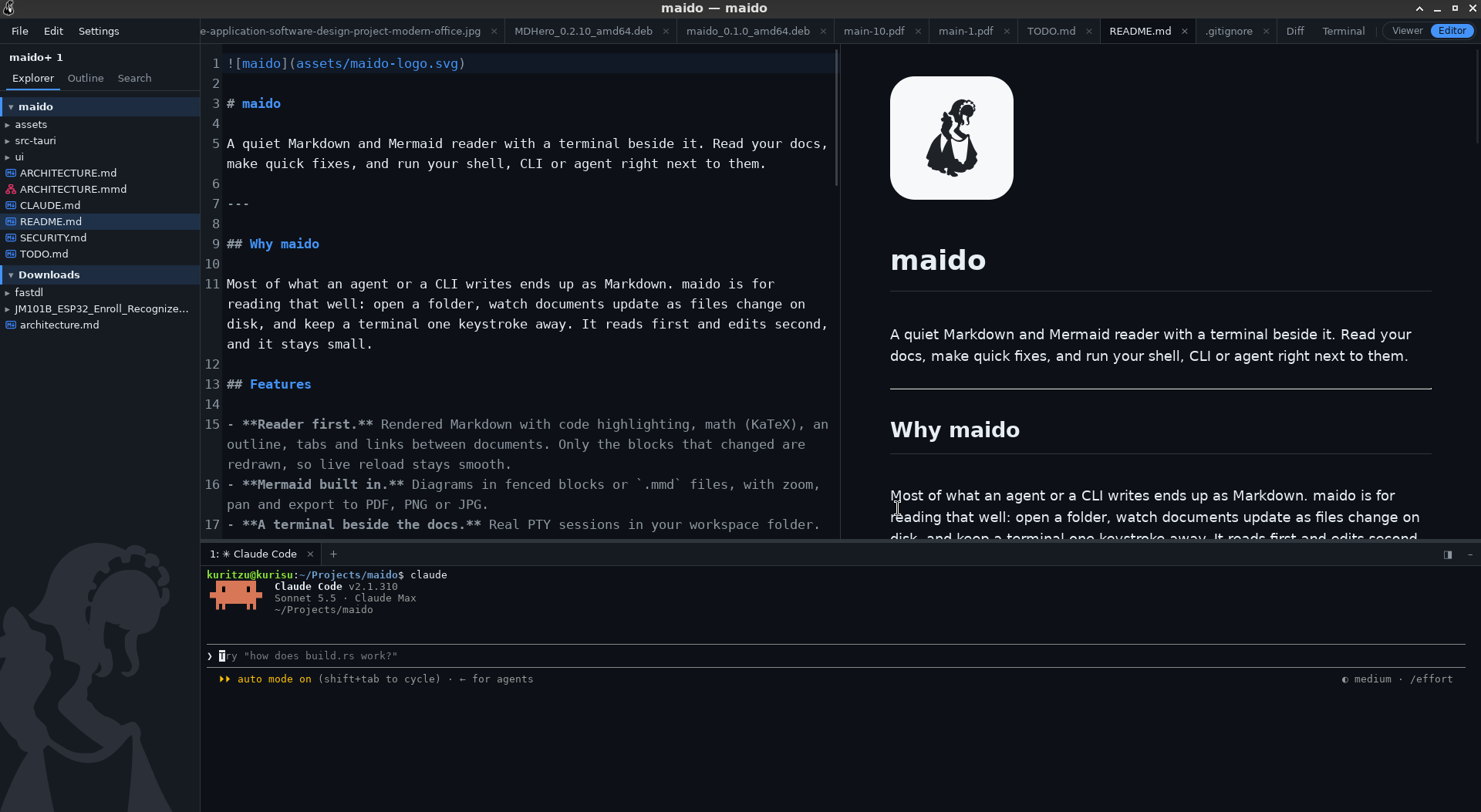
Reads first, edits second
Most of what an agent or a CLI writes ends up as Markdown. maido is for reading that well, and it stays small.
Live reload
Only the changed blocks are redrawn, and the change is flashed so you see what an agent just did. Follow mode turns to each document as it changes.
A terminal beside the docs
Real PTY sessions in your workspace. Paths in the output are clickable, and code blocks have a send-to-terminal button.
Mermaid, built in
Diagrams in fenced blocks or .mmd files, with zoom, pan, and export to PDF, PNG or JPG.
Mathematics
KaTeX for inline and display math. .tex files open as readable documents with their math typeset.
Many folders
Quick open, full-text search and live updates cover every folder in the workspace. Create, rename, copy and trash from the tree.
An editor for quick fixes
CodeMirror with a scroll-synced live preview. Saves never overwrite a change made on disk behind your back.
Compare
A diff window for files or pasted text, side by side or inline, rendered for Markdown too.
Pictures and PDFs
Images and PDFs open as tabs. PDFs are drawn page by page, only near the view.
Small and safe
Tauri 2 and Svelte 5, with the heavy work in Rust. Documents are sanitized and remote images ask first.
Themes and print
System, light or dark; serif or sans; adjustable size and margins. Print or export to PDF.
Keyboard first
| Ctrl O | Quick open |
| Ctrl Shift P | Command palette |
| Ctrl Shift F | Search the workspace |
| Ctrl E | Viewer or editor |
| Ctrl ` | Show or hide the terminal |
Install
Prebuilt packages for Linux, macOS and Windows are on the Releases page.
Get the latest releasemaido . # open the current folder maido ~/notes # open a folder maido README.md # open a file